
Create a Speaker-Recognition App Using Claude Code
Build a speaker recognition internal app with Claude Code or Codex by defining scope, choosing verification, testing audio, and setting match rules.
Key Points
- Build a narrow, testable speaker-recognition prototype with Claude Code or Codex by defining the user, input, and output before generating code.
- Choose between verification and identification clearly, since each mode changes the app logic, thresholds, error handling, and testing plan.
- Iterate in small loops: create a minimal interface, add audio capture and playback, wrap the speaker model separately, and test with simple samples and low-confidence cases.
- Include basic privacy and consent controls, such as microphone notices, storage limits, and clear user-facing explanations for match failures or insufficient audio.
Meta description: Build a speaker recognition internal tool using Claude code or Codex with this step-by-step tutorial, prompts, tests, and common mistakes to avoid.
Tags: Speaker Recognition, Claude code, Codex, Internal Tools, AI Coding
Featured image: An abstract friendly illustration of voice waveforms flowing into a simple app interface, using soft blue and warm orange shapes, no real people, no logos, no text.
This guide is for developers, analysts, and product owners who want to create a speaker recognition internal tool without starting from a blank editor. It responds to a source note about learning to code an internal tool effectively with Claude code or Codex, and it uses those assistants to translate a small product brief into a prototype, then tests the audio flow, the user interface, and the limits of the tool. The original article, Build a Speaker-Recognition App with Claude Code, appeared first on Towards Data Science. The bigger lesson is that coding assistants work best when the task is narrow, testable, and tied to real user behavior.
Speaker recognition can mean verifying a claimed identity or identifying an unknown speaker. Verification usually asks, "Does this voice match the person already stored in the system?" Identification asks, "Which stored voice is the best match?" For an internal tool, verification is often the safer first version because it compares one input against one known reference. Identification needs a larger registry, clearer match thresholds, and more careful error handling. Before asking Claude code or Codex to generate code, write down which mode the app supports and what the app should do when confidence is low.
Define the scope in plain language
A good scope note gives the coding assistant three things: the user, the input, and the output. A user could be a team member checking in to a shared meeting room. The input could be a short microphone recording. The output could be a clear message such as "match found," "no match," or "not enough audio." Keep the first version small. Do not ask for a full production system on day one. Ask for a local prototype that can record audio, store a reference sample, compare a new sample, and show the result in a simple interface.
A useful prompt to Claude code or Codex is: "Build a small internal web app for speaker verification. The user records a short sample, saves it as a reference, and records a second sample to check whether it matches. Show the audio controls, the match result, and a way to reset the session. Use separate files for interface code and audio logic, and add comments for each major function." This prompt does not invent a model or dataset; it asks for structure first. That is important when the actual recognition model is unknown, licensed, or still being selected.
Build and test in small loops
- Choose one recognition mode. Pick verification or identification and write it at the top of the project notes. If the app says "recognize the speaker," clarify whether the person has already claimed an identity. That distinction changes the code, the error messages, and the testing plan.
- Decide where audio comes from. A prototype may use a browser microphone, a local file upload, or a device already approved by the team. Each choice affects privacy and implementation. If the tool will run inside a company, ask whether microphone access is allowed and whether recordings can be stored locally.
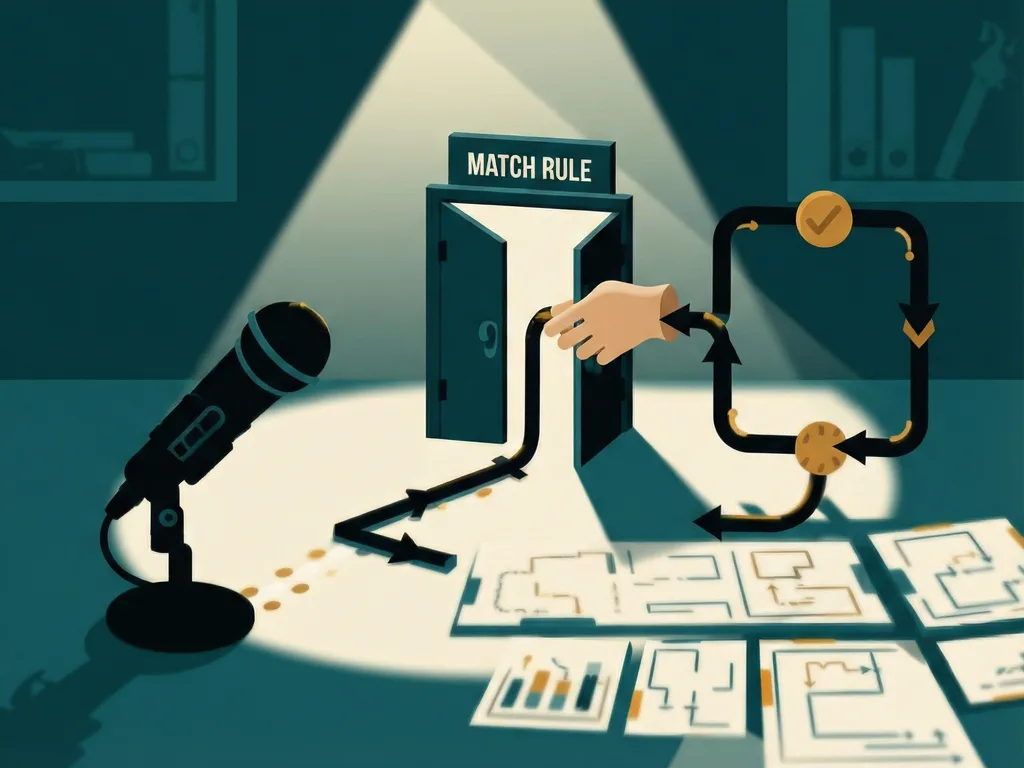
- Set a simple match rule. A speaker model may return a score rather than a final answer. The app needs a threshold: above it, call it a match; below it, call it no match; near it, ask for a new recording. Do not let the coding assistant invent a threshold. Test with a few samples and adjust based on observed behavior.
- Ask for a plan before code. Use Claude code or Codex to outline files, functions, and edge cases. A plan might include a front-end page, an audio recorder helper, a comparison function, and a reset function. If the plan looks too large, ask for the smallest version that still lets a person test the workflow.
- Generate a minimal interface first. The interface should have buttons for record, stop, save reference, check match, and reset. A simple design is enough for an internal tool. The goal is to make the state visible: Is the app waiting for input? Is it recording? Is it comparing? Is the result final?
- Add audio capture and playback. Have the assistant write code that records a short sample and lets the user listen to it. Playback is not decorative; it helps users know whether the microphone captured enough speech. If the recording is too quiet, too short, or full of background noise, the recognition result is likely to be confusing.
- Connect a speaker model through a narrow wrapper. If the team already has a speech or speaker embedding model, wrap it behind a small function that accepts audio and returns a score or fingerprint. A "speaker embedding" is a numeric representation of a voice, sometimes described as a voiceprint. Keeping this function separate makes it easier to replace the model later without rewriting the whole app.
- Create a small test set. Use a few recordings from known users, a few recordings from different users, and a few noisy or short samples. The test does not need to be huge at first. It should answer basic questions: Does the app crash when audio is empty? Does it explain low confidence? Does a match fail when the user speaks very briefly?
- Add consent and access limits. Even an internal speaker tool should tell users what is recorded, who can store it, and how to delete it. If the app is shared, ask for a clear notice before recording. A prototype may not need enterprise security, but it should not hide microphone use.
- Iterate with logs and regression tests. When a result is wrong, record the input type, the threshold, and the model output. Then ask Claude code or Codex to update only the relevant file or function. Small iterations are easier to review than one large rewrite.
What readers gain from this workflow
The value is not only speed. A well-framed prompt makes the coding assistant produce a structure that can be reviewed, tested, and handed to a human developer. For teams, this means a smaller first experiment: one use case, one microphone path, one match rule, and one set of tests. For readers who do not write code daily, it means they can still describe the behavior clearly enough for Claude code or Codex to generate a usable draft.
Speaker recognition has a reputation for being complex because it sits at the edge of audio processing, privacy, user experience, and model evaluation. The internal-tool version can be much simpler if the scope is honest. The app does not need to work for every accent, every microphone, or every room noise level. It needs to solve one narrow problem and report uncertainty when it cannot.
Common mistakes
The first mistake is asking for "speaker recognition" without saying whether the app verifies or identifies. The second is letting the assistant choose a match threshold with no test data. The third is building a full user account system before checking whether the microphone and audio logic work. The fourth is treating a coding assistant as a source of privacy policy or accuracy guarantees. Claude code or Codex can generate code and test scaffolding, but humans still need to decide what recordings are allowed, what data is stored, and when the tool should say "not enough information."
A practical rule is to stop expanding the app when it can answer one question reliably: did this short recording match the reference voice? Once that loop works, the team can consider adding multiple users, better thresholds, encrypted storage, or a wider test set. The original article, Build a Speaker-Recognition App with Claude Code, appeared first on Towards Data Science, and the reusable takeaway is clear: small scope, visible state, tested thresholds, and careful iteration make AI-assisted coding more useful than a vague request for a finished product.



Comments (0)