
How to Run Inkling 2 Mini Locally on an NVIDIA 3090 GPU Using Unsloth Studio
Run Inkling 2 Mini locally on RTX 3090 using Unsloth Studio, load a 4-bit model, test coding tasks, and connect Pi coding agent.
Key Takeaways
- The guide explains how to run the open-weight Inkling 2 Mini model locally on a single NVIDIA RTX 3090 using Unsloth Studio, without relying on paid APIs.
- Unsloth Studio can install, configure, and load a 4-bit quantized GGUF model, enabling chat, web search, and HTML generation at roughly 52 tokens per second on the tested setup.
- The local model can be connected to the Pi coding agent through an API key, allowing it to generate larger coding projects such as a playable browser game in about 10 minutes.
- The article emphasizes that local AI performance depends on the full stack: model quantization, inference engine, VRAM and storage planning, and surrounding tools or agents.
Run Inkling 2 Mini Locally With Unsloth Studio and Pi Coding Agent
Meta description: Learn how to run Inkling 2 Mini locally on an RTX 3090 with Unsloth Studio, test coding tasks, and connect it to the Pi coding agent.
Tags: Inkling 2 Mini, Unsloth Studio, RTX 3090, local AI, Pi coding agent
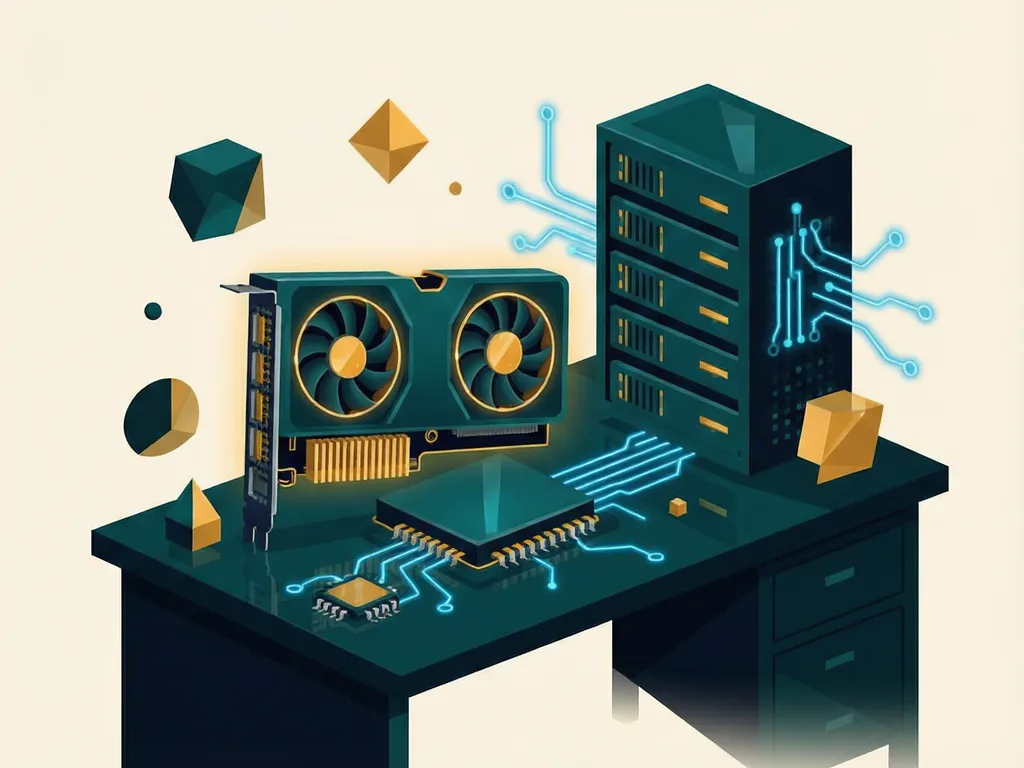
Featured image: abstract friendly illustration of a small GPU powering a coding dashboard and browser game.
This guide is for developers and local AI users who want to run Inkling 2 Mini on a single NVIDIA RTX 3090 without paid APIs. It shows how to install Unsloth Studio, load a 4-bit quantized model, test practical coding tasks, and connect the model to the Pi coding agent.
Thinking Machines Lab has released Inkling 2 Mini, an open-weight AI model with 26 billion parameters. It matches Qwen3.8-27B on the Artificial Analysis Intelligence Index and outperforms it on several coding, agentic, and tool-use benchmarks. Its Mixture-of-Experts architecture and looping mechanism help it deliver useful results without enterprise hardware. A 4-bit quantized version can fit in 24GB of VRAM, and speculative decoding may improve inference speed.
You need an NVIDIA RTX 3090 with 24GB VRAM or a setup that can load a quantized model, enough local storage for model files and cache, a browser for Unsloth Studio, and basic terminal commands. You can use a smaller GPU or system RAM depending on the quantized version, but this tutorial targets the RTX 3090.
Install and Configure Unsloth Studio
- Open your terminal and run the Unsloth Studio installer. The installer detects your system and installs required components.
- If asked whether to start Unsloth Studio immediately, choose no. You need to configure model storage first.
- Restart the terminal so new commands are available.
- Choose a folder inside your home directory for downloaded models and cache. AI models use significant space, so keep them in one place. Change the paths if your free storage is elsewhere.
- Start Unsloth Studio with the provided command. It runs on port 8080. On first launch, create a password for the interface.
- Open a browser and visit the local address shown by the server. You should see the Unsloth Studio interface for downloading models, chatting, and adjusting settings.
Load Inkling 2 Mini and Test Basic Tasks
- Log in to Unsloth Studio.
- Open the model selection menu and search for Inkling 2 Mini.
- Select unsloth/Inkling-2-Mini-GGUF with UD-Q4_K_XL quantization. This version is suitable for the RTX 3090 in the setup described by the source.
- Wait for the download to finish. Loading depends on internet speed.
- Start a chat. For a first test, enable web search and ask a research-heavy question, such as whether to buy NVIDIA stock. The original test showed the model could gather information from different sources and respond quickly. Treat the answer as a capability demo, not financial advice.
- Check inference speed. The original test averaged around 52 tokens per second on a single RTX 3090.
- Disable tools if you want direct HTML generation. Ask the model to create an oil market dashboard tracking prices and indices. The original result was a clean dashboard with charts and indicators. It simulated price movement and updated numbers even while markets were closed, so the values were not real-time market data.
Connect the Model to the Pi Coding Agent
- Install Pi, the lightweight terminal-based coding assistant described in the source.
- Restart your terminal after installation.
- In Unsloth Studio, open API settings and find the connection details and API key.
- Copy the provided command, replace YOUR_API_KEY with your own key, and run it in the terminal. If Unsloth Studio runs on another machine, use that machine's accessible server address.
- Use Pi to request a more complex project. The source prompt asked for a fully playable 2D Subway Surfers-style endless runner with three-lane movement, jumping, sliding, trains, obstacles, coins, power-ups, animations, parallax backgrounds, particle effects, sound, score tracking, pause and restart, and 60 FPS optimization.
- The source project produced a playable browser game in about 10 minutes on a single RTX 3090. It used HTML, CSS, and JavaScript, making it easy to deploy on Vercel and share with others.
- Expect small issues. The source test noted the character ran from left to right instead of moving forward. Additional prompts can fix these problems.
Why This Matters for Local AI Users
The value is not only the model. Open-weight releases like Inkling 2 Mini become more useful when local tools, inference engines, and coding agents are available. The source points to community experiments on Reddit and X, where people reported close to 300 tokens per second, sometimes more, using custom builds of llama.cpp, different inference engines, and hardware-specific optimizations. Those results depend on GPU, quantization, and setup.
Users can also experiment with coding agents, the DeepSeek harness, custom skills, and tools. The model is one part of the system; the surrounding setup can change what it can achieve. Over time, these improvements can help smaller local models compete with much larger proprietary models on specific tasks.
Common Mistakes
- Assuming the 4-bit model needs no VRAM planning. The setup in the source uses an RTX 3090 with 24GB VRAM.
- Forgetting to restart the terminal after installing Unsloth Studio or Pi.
- Storing models in a small partition. Check free space before downloading.
- Leaving tools enabled when you want direct website generation.
- Treating a stock question test as investment advice. It is a research capability demo.
- Expecting real-time market data from the dashboard. The source dashboard simulated values.
- Ignoring follow-up prompts when a generated game has layout or movement issues.

Comments (0)