
An In-Depth Analysis of Microsoft Entra Agent Identifier Traces the Complete Identity Chain from Blueprint to Agent Token
Azure Entra Agent Identity gives AI agents separate identities via blueprints, principals, and service principals, keeping secrets central and safe.

Key Takeaways
- Microsoft Entra Agent ID adds a dedicated identity layer for AI agents on Azure, separating agent identities from human and traditional workload identities to support secure authentication and authorization.
- The model uses three layers: an Agent Identity Blueprint defines settings and credentials, a Blueprint Principal controls agent creation in a tenant, and each Agent Identity represents a runtime service principal for one agent instance.
- Credentials are stored only on the blueprint, while each agent can obtain its own token through an OAuth client-assertion flow, reducing the risk of exposing secrets to individual agents.
- The approach integrates with Microsoft Graph and Foundry, enabling token exchange, permission assignment, audit trails, and automatic agent identity creation for agents deployed on Foundry.
Meta description: Learn how Entra Agent ID uses a three-layer identity model in Azure to secure AI agents, keep secrets on blueprints, and support Microsoft Graph token flows.
Tags: Entra Agent ID, Azure, AI agents, Microsoft Graph, Foundry
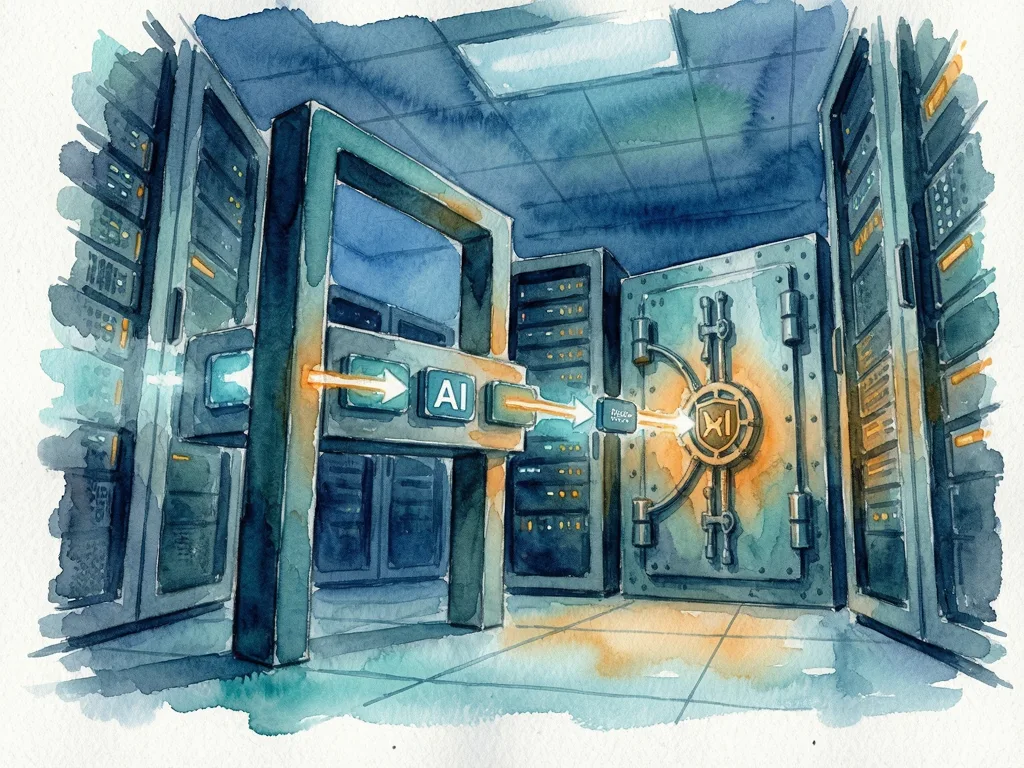
Featured image: Friendly abstract illustration of blueprint templates, service principals, and token flows in an Azure identity workspace, no text, logos, or real people.
For developers building AI agents on Azure, Entra Agent ID adds a dedicated identity layer so each agent can be authenticated and authorized without carrying application secrets. Entra ID, the identity provider for the Azure cloud platform, uses centralized identity to replace the old network perimeter model. The new blueprint-to-agent token flow gives teams separate agent identities, clearer audit trails, and a way to manage permissions for autonomous software.
Why agent identity became a separate security problem
Before cloud and mobile apps, the corporate network was often treated as the trusted boundary. That assumption no longer holds because a request arriving from inside a network may come from an unknown user, device, app, or software component. The primary security perimeter is now identity: first verify who or what is asking, then decide what that identity may do.

An identity is a set of attributes that characterizes a person, device, or software component. Entra separates human identities, machine identities, and agent identities. Machine identities include device identities for hardware and workload identities for applications or services. Agent identities cover AI-driven agents. An agent remains an application at its core, but autonomy and decision-making change the security model, so Entra models agent identity as its own category.
How Entra ID app identity differs from Entra Agent ID identity
Classic Entra ID application identity uses a two-layer model: app registration and service principal.
| Layer | Role in classic Entra ID | Role in Entra Agent ID |
|---|---|---|
| App registration or blueprint | Defines name, scopes, app roles, redirect URLs, and OAuth client settings | Agent Identity Blueprint defines name, baseline settings, and credential configuration for agent identity flows |
| Service principal | Runtime identity in a tenant; roles and permissions are assigned to it | Agent Identity Blueprint Principal is one service principal per tenant and is created automatically in the model |
| Agent-specific runtime identity | Not present in the classic two-layer pattern | Agent Identity is a service principal created by the blueprint principal for one running agent instance |
In classic Entra ID, the app registration is a template, while the service principal is the object that acts in a tenant. The relationship resembles a class and an object in object-oriented programming. An app registration can be managed in one tenant while many tenants consume the app as a multi-tenant application. In each tenant, the service principal can hold credentials such as a client secret and use them to authenticate and obtain tokens. Entra ID supports OAuth 2.0 as the authorization server.
Entra Agent ID keeps the template and runtime idea but makes it explicit. The Agent Identity Blueprint is the recipe. The Agent Identity Blueprint Principal is the licensed kitchen allowed to create agents in the tenant. Each Agent Identity is a dish made from that recipe. One tenant can have one blueprint principal but many agent identities, one service principal per running agent instance. Credentials are created and held only on the Agent Identity Blueprint, so individual agents do not need direct access to secrets, reducing risk.

Foundry connects to this model automatically: every agent developed and deployed on Foundry gets an agent identity created in Entra ID.
Demo flow from a blueprint to an agent token
The demo uses PowerShell and the Microsoft Graph API to create the objects and exchange tokens.
- Create an Agent Identity Blueprint by sending a POST request to the Microsoft Graph beta applications endpoint. The request body uses the type Microsoft.Graph.AgentIdentityBlueprint, the displayName ChrisBao Blueprint, and sponsor and owner references to a user. The demo sends the header OData-Version with value 4.0.
- Create the Agent Identity Blueprint Principal with a POST request to the beta service principals endpoint for graph.agentIdentityBlueprintPrincipal, using the blueprint appId.
- Create a client secret under the blueprint application, not under each agent instance, by calling the addPassword action on the blueprint application.
- Obtain a blueprint token from the OAuth 2.0 token endpoint at login.microsoftonline.com/$TenantId/oauth2/v2.0/token. The request uses client_id for the blueprint appId, scope https://graph.microsoft.com/.default, grant_type client_credentials, and the blueprint client secret. There is no user sign-in; this is the OAuth 2.0 client credentials flow.
- Decode the returned JSON Web Token and check that the roles claim includes AgentIdentity.CreateAsManager. The demo waits for permissions to propagate when the role is absent, using a 10-second sleep.
- Create an Agent Identity by sending a POST request to the beta service principals endpoint for Microsoft.Graph.AgentIdentity. The request uses the blueprint token as a Bearer token and sets displayName to My Agent, agentIdentityBlueprintId to the blueprint application ID, and a sponsor reference to a user.
- Exchange the blueprint token for an agent identity token. The request uses client_id for the agent identity application ID, the same Graph default scope, grant_type client_credentials, client_assertion_type urn:ietf:params:oauth:client-assertion-type:jwt-bearer, and client_assertion set to the blueprint token. This gives the agent its own token without an agent-held secret.
- Grant permissions to the agent identity. The demo assigns User.ReadWrite.All, identified by app role ID 741f803b-c850-494e-b5df-cde7c675a1ca, so the agent can read and write user data through Microsoft Graph. The source notes that production systems should adjust permissions to least privilege.
- Verify the result by calling GET https://graph.microsoft.com/v1.0/users?$top=5 with the token obtained for the agent identity. The demo output shows a user with display name Chris Bao, User Principal Name baoqger_gmail.com#EXT#@baoqgergmail.onmicrosoft.com, and ID d672a57e-86cc-46e3-b811-8fd26e0b0e50.
Sidecar architecture and production impact
Two common agent authentication patterns create problems. Hard-coded secrets in agent code mean every agent image holds a copy of the application client secret. A leak, log exposure, or committed environment file can become a tenant-wide incident. Delegating user tokens for everything means the agent can act only when a human is present, and every call may look like the same service principal, weakening per-agent auditability.
Entra Agent ID addresses both by separating authentication and authorization from agent code. A practical pattern is the sidecar: deploy a sidecar next to each agent so the agent focuses on its task while the sidecar handles Entra Agent ID logic and tokens. This keeps identity operations out of the agent payload and preserves the blueprint-to-agent relationship.
Common mistakes
- Putting client secrets directly into agent images or logs instead of keeping credentials on the Agent Identity Blueprint.
- Requiring a human sign-in for every agent action, which makes autonomous agents harder to audit.
- Assuming the Agent Identity Blueprint itself is the runtime object; permissions are assigned to service principals such as agent identities.
- Skipping the role check for AgentIdentity.CreateAsManager before attempting to create an agent identity.
- Leaving broad permissions such as User.ReadWrite.All in production without reducing them to least privilege.
- Forgetting that Foundry already creates agent identities in Entra ID for agents developed and deployed there.




Comments (0)