
Developers Can Now Use the New AWS Experience to Access SageMaker Studio
AWS has connected its new sign-in experience to SageMaker Studio, letting developers skip the lengthy account form. Users can authenticate with Google, GitHub, Apple, or Amazon accounts and reach a preconfigured Studio environment in about 20 seconds. The flow supports deep links from Hugging Face, opening deployment pages with models already configured. New accounts receive $100 in Free Tier credits, with a path to earn another $100, and usage stops automatically when credits end. The environments also include preset permissions and access to G5, G6, and G4dn GPU instances, reducing setup work for individual developers and small startup teams.
Key Takeaways
- AWS now links SageMaker Studio to a simplified sign-up flow, letting new customers authenticate with Google, GitHub, Apple, Amazon, or email in 2–3 steps, usually without entering payment details.
- After sign-up, SageMaker AI automatically creates a preconfigured Studio environment in about 20 seconds, and Hugging Face deep links can open Studio directly with a model ready for deployment.
- New customers receive $100 in AWS Free Tier credits for SageMaker AI usage, with a possible additional $100, and usage stops automatically when credits are exhausted or the six-month period ends.
- The new flow inherits earlier friction-reducing improvements, including preconfigured permissions for customization, training, evaluation, and deployment, plus visible instance quota availability and default access to eligible GPU instances.
- The change applies only to new AWS accounts; it does not alter how existing AWS customers sign in, nor does it change SageMaker AI pricing.
New AWS customers can skip the advanced sign-up form, land in a pre-configured SageMaker Studio environment in about 20 seconds, and start with $100 in Free Tier credits that cover SageMaker AI usage.

The short version
AWS has connected Amazon SageMaker Studio to its updated sign-in and sign-up experience. Instead of completing the full AWS account creation flow — email verification, contact details, phone verification, payment information and a support plan — a new customer can now authenticate with a Google, GitHub, Apple or Amazon account, or with an email address, in 2–3 steps. Most customers do not need to enter a credit card.
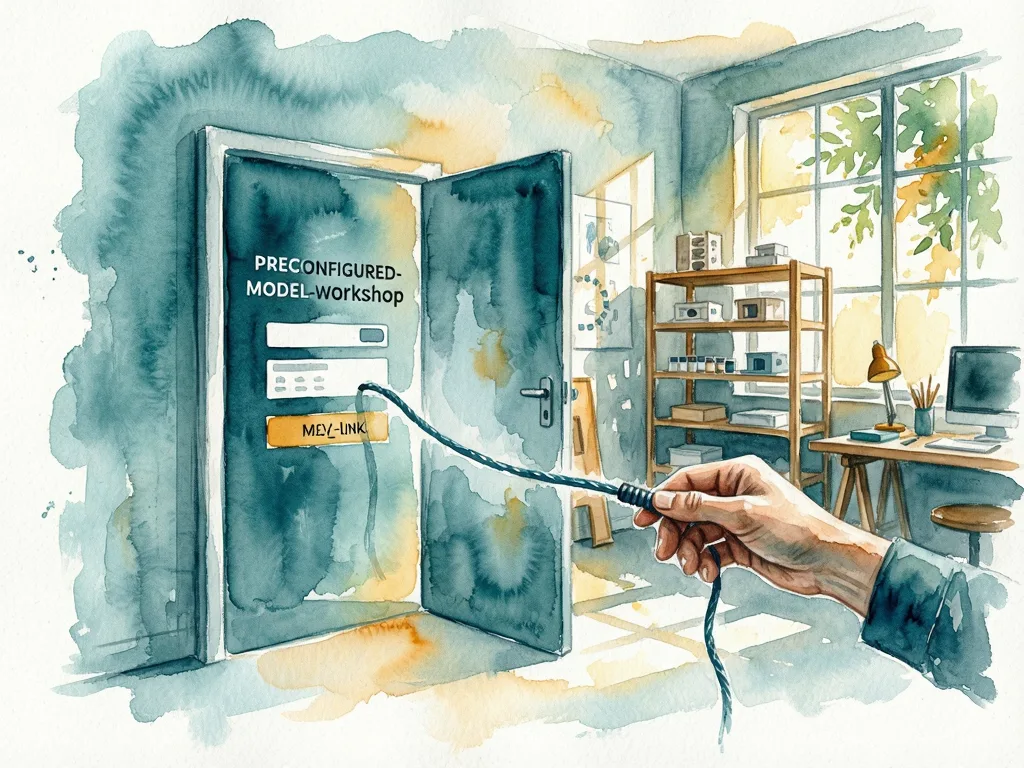
Once sign-up finishes, SageMaker AI builds the Studio environment automatically in roughly 20 seconds. The user lands on the page that matches where they started. Someone who picked a model on Hugging Face and chose Deploy on SageMaker AI arrives in Studio with the Deployment page already open and the model pre-configured for endpoint creation.
The offer is aimed squarely at individual developers and small startup teams — people who expect to be building within minutes of signing up, not filling in a multi-screen onboarding form.
Why the account form was the real bottleneck
This launch is the third step in a sequence of fixes AWS has made to the SageMaker Studio onboarding path.
Earlier in the year, AWS cut Studio environment creation time from 2 minutes to about 20 seconds and pre-configured model customization permissions in every new Studio domain. A previous post, "From Hugging Face to Amazon SageMaker Studio in One Click," described deep links that take a model page on Hugging Face directly into SageMaker Studio workflows.
Those changes removed friction inside Studio. But they did nothing about the step before it: getting an AWS account. New customers still had to verify an email address, enter contact information, verify a phone number, provide payment details and choose a support plan. For a developer used to signing in with GitHub and starting work, that was the remaining wall.
What new accounts actually get
The Free Tier credits are the part worth reading carefully. New customers receive $100 in AWS Free Tier credits usable across SageMaker AI, including model customization, training jobs, Studio notebooks and endpoint deployments. There is also a route to earn an additional $100 in credits, bringing the potential total to $200.
Three conditions matter:
- Credits are applied to usage automatically, and AWS sends an email notification as the limit approaches.
- The Free Tier period ends after 6 months or when the credits are exhausted, whichever comes first.
- At that point, resource usage stops automatically rather than continuing to bill, so there is no surprise charge. Adding payment details upgrades the account to a paid plan at any time.
The automatic stop is the detail that makes the no-credit-card signup workable: the account cannot quietly run past its credits into paid usage.
The pre-configured environment carries earlier improvements
Environments created through the new sign-in flow inherit the setup work from previous launches. Permissions for model customization, training, evaluation and deployment are pre-configured, so users do not have to create AWS Identity and Access Management (IAM) roles — the permission system AWS uses to control access to resources.
Eligible accounts get default access to G5, G6 and G4dn GPU instances for endpoints, training jobs and Studio notebooks. The instance selection menu in Studio also displays quota availability, so a user can see which instance types are actually available before attempting to launch one. Anyone who has waited on a quota error will recognize why that matters.

How to try it
The path is short by design:
- Browse models on Hugging Face, choose Deploy, select Amazon SageMaker AI, then choose Customize on SageMaker AI or Deploy on SageMaker AI on a supported model. Alternatively, go to the Amazon SageMaker Studio page and choose Get started with Amazon SageMaker AI.
- On the AWS sign-in page, choose Google, GitHub, Apple or Amazon, or enter an email address, and follow the prompts.
- Land in the configured Studio environment and begin with the Free Tier credits.
One limitation to note: the new sign-in experience applies to new AWS accounts only. Existing AWS account holders see no change to how they sign in.
What it means for readers
For a solo developer, the practical difference is the gap between finding a model and running it. Previously that gap included an account application; now it is a social login, a 20-second environment build and a pre-opened deployment page. For a small team, the same flow means a model discovered on Hugging Face can be customized or deployed in minutes using credentials team members already have.
The remaining question is what happens at the edges of the offer. The credits expire at 6 months or on exhaustion, and usage stops automatically at that point — so anyone planning sustained training or endpoint hosting should expect to add payment details and move to a paid plan. Eligibility for the default G5, G6 and G4dn GPU access is described as applying to eligible accounts, and the post does not spell out the criteria; teams depending on specific instance types should confirm availability in the Studio instance menu before committing to a workflow.
The launch does not change anything for existing AWS customers, and it does not alter SageMaker AI pricing. It changes the first five minutes — which, for developer tooling, is often where adoption is won or lost.




Comments (0)