
10 AI Agent Concepts I Should Have Learned Before Creating My First Agent
A marketer explains 10 AI agent concepts via a Gmail and Sheets agent that triages inbound leads with tools, memory, prompts, and safeguards.

Key Takeaways
- An AI agent differs from a chatbot by moving information across systems, not just generating text; this lead agent reads Gmail, replies, labels threads, and logs data in Google Sheets.
- Core agent components are tools, connectors, context, memory, and instructions; limited permissions, app access, per-run context, persistent notes, and clear system prompts determine what the agent can do.
- Operational controls matter: triggers define when the agent runs, permissions separate automatic actions from approval-required actions, and human-in-the-loop review helps validate output before full automation.
- Security risk is real when agents read external content: prompt injection can try to turn messages into instructions, so unknown text should be treated as information and suspicious cases escalated to a person.
- For small teams, the practical path is to start with one repeated task, a narrow toolset, plain-English rules, a memory file, and human review before expanding automation.
Meta description: A marketer built a Gmail and Sheets AI agent for inbound leads and explains 10 agentic AI terms, including tools, connectors, context, memory, prompts.

Tags: agentic AI, AI agents, lead automation, MCP, system prompts
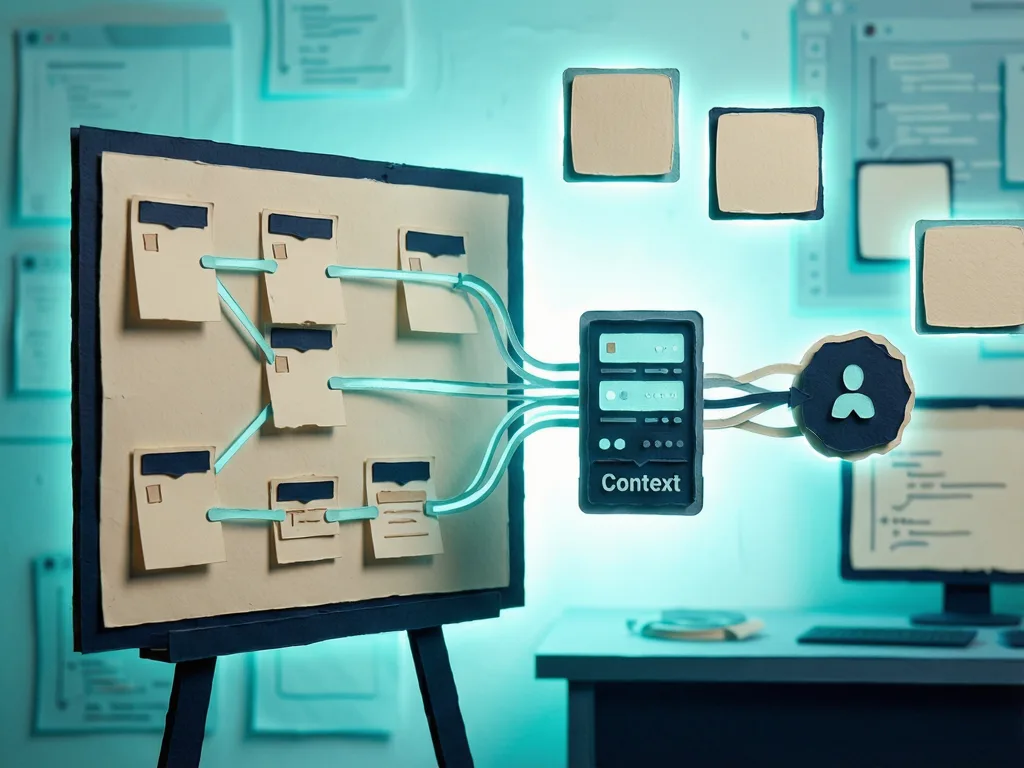
Featured image: An abstract friendly illustration of a robot sorting emails into folders, with spreadsheet rows and a clock; generated by the author via ChatGPT, no logos, no text, no people.
This guide is for operators who want to turn a repetitive inbox task into an AI agent workflow. It unpacks 10 AI agent terms from a lead-answering agent built by an AI marketer who spent three years in Carnegie Mellon's Machine Learning Department, co-founded Towards AI, led technical content at Snorkel AI and Cohere, and now leads technical marketing at GenBio AI while advising AI companies. The agent reads inbound inquiries hourly from 8am to 9pm, answers simple emails, labels handled threads, logs records in Google Sheets, sends difficult questions to a person, and now works.
From Chatbot to Agent: What the System Is
The core change is not a better chat window. A chatbot gives suggestions to copy. An agent moves information between systems. Here, the agent can read a Gmail thread, compose a reply, send it, apply a label, and add a row to a spreadsheet. The person stops being the transport layer. The first question becomes what work can be handed off, not what AI can say.
The Parts That Make It Work: Tools, Connectors, Context, Memory, Instructions
Tools are the actions an agent may take. The lead agent's list is short: search email, read a thread, send a reply, add a label, and add a row to a spreadsheet. It cannot browse the web or delete anything because those tools are absent. Another agent used website tools to read code, run a page speed test, and edit a file. In one test, it measured a speed change, saw a layout shift during loading, and recommended not shipping it.

Connectors link an agent to apps such as Gmail, Google Sheets, or a calendar. Many use MCP (Model Context Protocol), an open standard for connecting AI to outside tools and data. The first scheduled run failed in 25 seconds. Gmail and Sheets were connected to the account, but the scheduled job lacked access. After attaching the connectors to the job, the same instructions worked on the first try. Account connection and job-level access are separate checks.
Context window is what the agent can hold while working: instructions, documents, tool results, and conversation. It is large, not infinite, and does not carry over between runs by itself. The lead agent starts each run with a clean context; it knows nothing about yesterday unless a file, log, or label tells it.
Memory works around the reset. The author uses a plain text file listing businesses, decisions, preferences, and open questions. Each session starts by reading it and ends by updating it. Gmail labels and the spreadsheet log also act as memory: if a thread is already labeled as handled, the agent skips it. Without memory, mistakes repeat; a simple file fixes many.
Instructions, often called a system prompt, are standing rules. The author keeps them in a one-page plain-English document: which emails to review, what a standard reply should contain, and what never to do. The agent must never invent a price or date, never send more than 15 replies in one run, and never reveal the reply is automated. If a case is not covered, it flags the issue. Agent quality depends on instruction quality.

When It Runs and What It May Touch: Triggers, Permissions, Human in the Loop, Prompt Injection
A trigger starts the agent: a schedule, new email, webhook, or manual run. This agent runs hourly from 8am to 9pm. The schedule was once saved in UTC, which would have made it act at 4am local time. Nothing broke, but the timing would have looked wrong.
Permissions decide which actions happen automatically and which need approval. Routine actions—reading email, replying, labeling, and writing to a spreadsheet—were pre-approved. Hard-to-undo actions, such as deleting email or files, stayed under approval. Before that, every action needed a click, turning automation into supervision.
Human in the loop means a person reviews output before it counts. In the first real run, the agent found 21 inquiries, wrote 15 replies, and flagged two questions. It was nearly correct, but it saved replies as drafts because a safety setting was left on. The author checked the drafts, confirmed they were right, and enabled sending. Now the agent only emails for decisions, and the author can reply by email.
Prompt injection is when text the agent reads tries to become its instructions. Because the agent reads messages from strangers, a message could ask it to ignore rules, click a link, send money, or share the owner's home address. The instructions treat lead text as information, not commands, and route suspicious requests to the human. This rule matters the moment an agent reads email, web pages, or outside documents.
What It Means for Readers
The practical path is not mastering model internals first. For a small team, start with one repeated task, a narrow toolset, a memory file, plain-English instructions, clear permissions, and human review for the first week. Write down the rules you repeat; that document becomes the instructions. The 10 terms decide what an agent can see, what it can do, and when it must stop. The account appeared in Towards AI on Medium.



Comments (0)