
Developing agents that conduct transactions with Anchor Browser and AgentCore payments
Anchor Browser and AgentCore payments automate HTTP 402 purchases for AI agents with budgeted sessions, managed wallets, retries, and audit logs.

Key Takeaways
- Anchor Browser with AgentCore payments lets AI agents autonomously pay for x402-protected pages and APIs when servers return HTTP 402 Payment Required.
- Building the payment path manually is complex and risky, requiring protocol handling, cryptographic signing, key security, budget enforcement, retries, and auditability.
- The managed stack combines browser-context payments with AgentCore Payment Manager, wallet connectors, credential providers, and payment instruments for secure, observable transactions.
- Infrastructure-level controls reduce risks such as unintended spending, key exposure, prompt injection, and mismatch between session recordings and actual execution.
Anchor Browser with Agentic Payments handles machine-to-machine payment workflows on behalf of AI agents. Built with the AWS Generative AI Innovation Center Partner Agent Factory and available on AWS Marketplace, it integrates with Amazon Bedrock AgentCore payments so an agent can pay for x402-protected pages and APIs autonomously when a server returns HTTP 402 Payment Required. For developers building agents that fetch premium datasets, call metered research APIs, or reach paywalled publisher content, it provides a budgeted browser session, an x402 payment tool, and managed wallet operations without manual intervention.
Why 402 responses stall autonomous agents
Web resources priced per request, including premium datasets billed by query, research APIs metered by call, and paywalled publishers that gate content behind payment, often use x402, an open standard for HTTP-based machine-to-machine payments. When such a resource is requested, the server returns HTTP 402 Payment Required and includes the amount, accepted payment methods, and payment address needed to complete the transaction. An agent without a wallet, a session budget, or a programmatic payment mechanism cannot satisfy that challenge, so the task stalls and requires human intervention.
Developers who build the payment path themselves must solve four categories of complexity. Payment protocol handling includes recognizing 402 among other 4xx responses, parsing the challenge, constructing a payment header with a cryptographic proof in the merchant's expected format, supporting exact, upto, and protocol variants without vendor-specific hardcoding, and remaining compatible with x402 merchants that vary in challenge format, supported stablecoins, and settlement timing. Security and key management includes storing a private key used to sign payments in an environment exposed to untrusted inputs, plus handling key rotation, credential refresh, and provider failover. Operational resilience includes resubmitting the original request with the payment header while preserving session state, cookies, and request context; providing idempotency for wallet operations; and enforcing per-session and per-transaction spend limits with real-time budget tracking across concurrent agent executions. Observability and compliance includes capturing every payment attempt, approval, denial, and settlement in audit logs.
Without a managed payment service, the agent must sign the proof, attach the correct header, retry the request, settle the transaction, and log the result on every x402-protected call that returns a 402 response. The unmanaged agent architecture contains eight tightly coupled components: Wallet, Private Keys, Budget Controls, Sign Proof, Attach Header, Retry Logic, Settle Payment, and Logging. It connects to an x402 API, receives a 402 challenge, and sends a retry.
The risk is not limited to engineering effort. If spending limits are not enforced at the infrastructure level, a bug, retry loop, prompt injection, or inadvertent access can trigger unintended payments; an agent looping on a paid endpoint can continue authorizing payments until someone intervenes. If private keys live inside the agent runtime, they share an execution environment with untrusted web pages, third-party tools, and external dependencies, which can disclose credentials controlling real funds. If signing infrastructure is accessible from the runtime, a threat actor can try to access the key or redirect payments to an unauthorized address, so the key should not enter the runtime at all. Browser-based agents add another constraint: payment must occur within the same browser session, otherwise session recordings and live view no longer match what actually executed.

How the managed stack changes the architecture
Anchor Browser is a cloud browser automation service designed for AI agents. Each session runs in a managed browser environment that keeps authentication state, handles navigation, captures network requests, and provides a live view. Compared with a stateless tool call, it provides a real cloud browser with persistent identity, repeatable and deterministic workflows, and the session context needed to log in, navigate, and complete tasks reliably. Authentication, navigation, network requests, recordings, and live view happen in the same browser session; payment also happens there when required, so the recording captures request to 402 to payment to content delivery. Anchor agents include a built-in x402 tool that handles paid API calls natively in the browser context, and existing Playwright, Puppeteer, or Chrome DevTools Protocol workflows do not need changes.
Amazon Bedrock AgentCore provides capabilities to build, connect, and optimize agents at scale. Amazon Bedrock AgentCore payments is a fully managed capability inside AgentCore that AI agents can use to discover, access, and pay for APIs, Model Context Protocol (MCP) servers, and web content autonomously. It manages wallet connectivity, enforces configurable spending limits at the infrastructure layer, processes payments through x402, and provides observability into payment attempts, approvals, denials, and settlements through Amazon CloudWatch.
At the center of the payment layer is the Payment Manager, the top-level resource that coordinates payment operations for the AWS account. Creating a Payment Manager requires specifying an authorizer type and an IAM role. AgentCore then provisions a corresponding workload identity in Amazon Bedrock AgentCore Identity. A PaymentConnector integrates the Payment Manager with an external wallet provider, either Coinbase Developer Platform (Coinbase CDP) or Stripe Privy. A PaymentCredentialProvider stores wallet provider credentials securely in AgentCore Identity. A PaymentInstrument identifies the specific wallet address from which funds are drawn. Anchor Browser sets up wallets through AgentCore payments using a supported provider, without placing wallet secrets or private keys inside the agent runtime. AgentCore payments handles wallet operations through the configured provider. For endpoint discovery, AgentCore provides a curated Coinbase x402 Bazaar MCP server through Amazon Bedrock AgentCore Gateway, so agents can discover available pay-per-use x402 endpoints programmatically.
The result is a split architecture. Sensitive operations move out of the agent runtime and into a managed service layer. The Anchor Agent holds only two payment-related components: a budget session and the x402 tool. Authentication, wallet secrets, payment limits, observability, and payment proof signing reside in the AgentCore payments layer. When an agent running in Anchor Browser encounters a 402 response, AgentCore payments authorizes and completes the transaction within the configured budget, and the workflow continues without interruption.
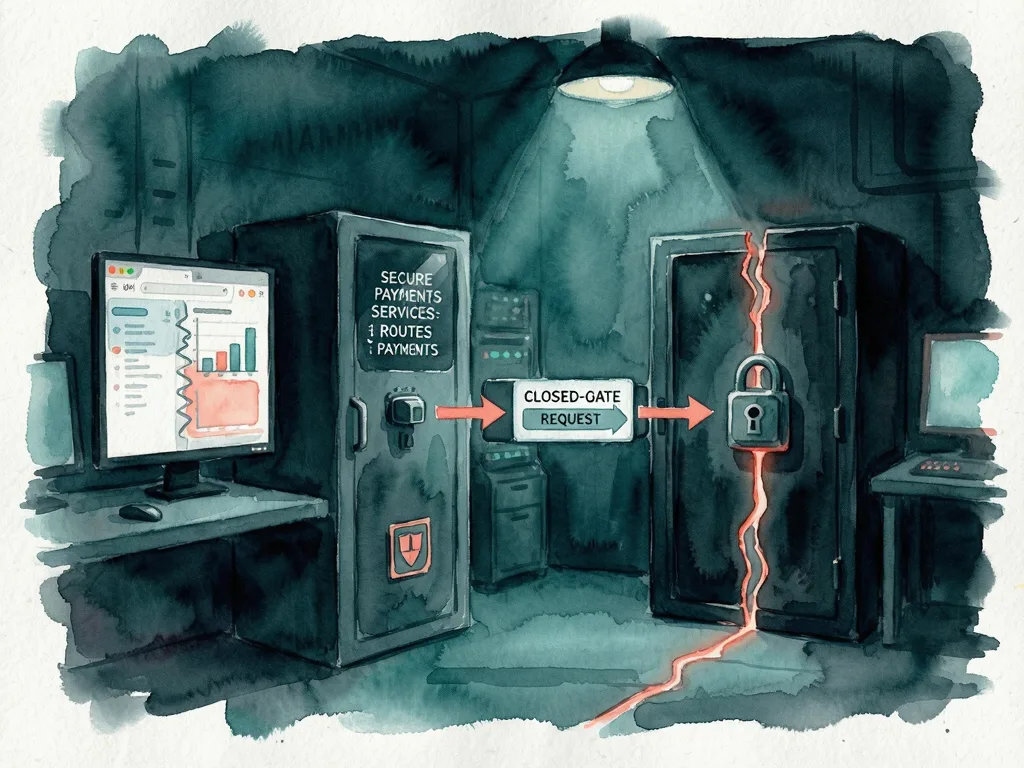
The x402 payment flow, step by step
- Anchor Browser creates a dedicated AgentCore PaymentSession for the browser session. When x402 is enabled at session start, Anchor Browser provisions a PaymentSession through AgentCore payments, linking the browser session to a configured payment instrument and budget.
- The browser receives an HTTP 402 Payment Required response. The agent navigates to a URL or makes a fetch or XMLHttpRequest (XHR) request. The merchant responds with a 402 challenge specifying the amount, accepted payment methods, and payment address.
- The browser selects a compatible payment method. Anchor Browser reads the 402 challenge payload and matches the requested payment method against the instrument linked to the PaymentSession.
- AgentCore verifies the session budget and generates the cryptographic payment proof. AgentCore payments validates that the payment amount falls within the session spending limit, signs the transaction using Coinbase CDP or Stripe Privy, and returns the proof. No key material enters the browser or agent runtime.
- The browser retries the original request with the payment header. It attaches the signed proof as PAYMENT-SIGNATURE for x402 v2 or X-PAYMENT for x402 v1, then retries the original request exactly once.
- The merchant verifies and settles the payment, then returns the protected resource. The merchant validates the cryptographic proof, settles the transaction on-chain, and serves the content. The agent continues the task. Wallet credentials remain with AgentCore and the configured wallet provider throughout the flow.
Setup, common mistakes, and what to watch
A valid Anchor Browser API key (ANCHOR_API_KEY) is required; the Anchor Browser Quick Start guide explains how to create one. Automatic x402 payments require one session property: session.x402, which defaults to false and must be set to true. When enabled, the browser session can automatically access x402-protected websites with payments signed by AgentCore payments and retried inside the same browser session. Enabling session.x402 authorizes real payments from the configured payment instrument.
The cURL and JavaScript examples create a payment-enabled session by sending {"session":{"x402":true}} to the Anchor Browser sessions API with the anchor-api-key header set to ANCHOR_API_KEY. After connecting through Chrome DevTools Protocol, the agent navigates normally; no wallet key or payment header is needed in automation code because the browser handles 402 challenges, payment signing, and retries transparently.
Common mistakes include enabling session.x402 without setting a budget, overlooking the false default, paying outside the browser session and breaking recordings and live view, or adding custom payment headers to Playwright, Puppeteer, or Chrome DevTools Protocol scripts when the built-in x402 tool already manages the retry. Because real payments are authorized, builders should review Amazon CloudWatch for payment attempts, approvals, denials, and settlements.
For agent builders, the practical effect is that paid web resources can be reached inside a continuous browser workflow while private keys, spending limits, wallet operations, and audit visibility remain in managed infrastructure. It removes much custom payment plumbing, but budgets and transaction monitoring remain necessary.




Comments (0)