
How to Build an AI Agent from Scratch in Python and Why It’s Worth It
This guide explains building a minimal AI agent in Python: define a goal, store messages, call a model, interpret actions, and stop safely.

Key Takeaways
- An AI agent is different from a simple chatbot: it uses a model to decide next steps, runs tools, checks results, and repeats until it can answer or stop.
- The core implementation can be built in plain Python with the Anthropic API using a minimal loop: clear goal, message history, model call, structured decision parsing, tool execution, and a stop condition.
- Safe and practical setup matters: store API keys securely, define stopping rules, handle API errors, log each step, and avoid letting the model directly execute unchecked actions.
- Memory and tools should be added gradually: start with recent message history and one simple tool, validate tool actions in Python, treat external content as untrusted, and measure performance before expanding the system.
Meta description: Learn what an AI agent is and build one from scratch in plain Python using the Anthropic API, with clear steps, practical limits, and common mistakes.

Tags: AI agents, Python, Anthropic API, LLM applications
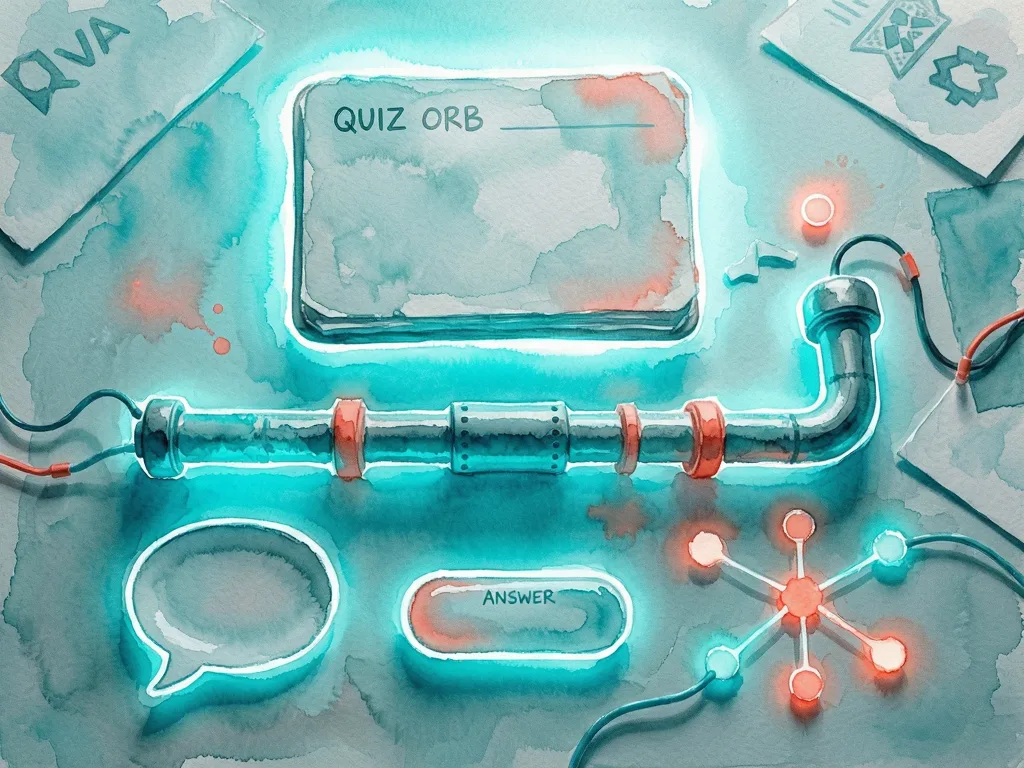
Featured image: Abstract illustration of a Python script and connected nodes representing an AI agent workflow, friendly style, no real people, no logos, no text.
Developers who want to move past simple chatbot calls can build an AI agent from scratch in plain Python using the Anthropic API. The core idea is small: an agent takes a goal, asks a model for the next step, checks the result, and repeats until it can answer or stop. This guide explains what an AI agent is, the minimum loop needed, and how to add memory and safe stopping conditions without turning the project into a large platform.
What an AI agent is and why start small
An AI agent is software that uses a language model to choose actions, not just write a reply. A chatbot usually receives a message, sends it to a model, and returns the answer. An agent adds a loop. It may store past steps, inspect the current task, call a tool, evaluate the output, and decide whether to continue. The model can be the reasoning engine, while Python handles state, errors, tool calls, and stop rules.

Starting small is important because agent loops can become expensive and hard to debug. A minimal agent does not need a framework, vector database, or large tool library. It needs four parts: a clear goal, a message history, a model call, and a rule for stopping. Once that loop works, developers can add search, file reading, calculators, or application-specific functions one at a time.
The Anthropic API can support this pattern because it provides a model interface that accepts instructions, conversation context, and system guidance. The exact model choice, rate limits, and pricing should be checked in the provider documentation because those details can change. For a beginner, the practical question is not how powerful the model is. The question is whether the loop keeps the agent focused, stops when needed, and returns a useful result.
Build the agent step by step
- Create an API key and store it safely. Keep the key outside the source code, preferably in an environment variable. If the code is shared, load the key from a local configuration file that is ignored by version control. Never print the key in logs.
- Define the task and the stop condition. Write one sentence that describes what the agent should achieve, such as answering a question using a supplied text. Then decide when it should stop: when it has enough information, when it reaches a maximum number of steps, or when it produces a final answer. Without a stop condition, an agent may repeat calls and waste time or budget.
- Store the conversation state. A simple agent can keep a list of messages. Each message needs a role, such as system, user, assistant, or tool result, and content. The system message sets the behavior, the user message gives the task, and the assistant message records the model response. In plain Python, a list of dictionaries is enough for a first prototype.
- Send the state to the Anthropic API. The request should include the selected model, the system instructions, the message history, and a reasonable maximum response size. The response should be parsed carefully. If the API returns an error, the agent should handle it by retrying, reporting the failure, or stopping. Do not assume every request will succeed.
- Interpret the model output as a decision. The output can be plain text, but an agent works better when the model returns a structured instruction. For a beginner, a simple text convention is enough, such as asking the model to start its answer with Action: or Final answer:. A later version can ask for JSON, but strict parsing should be defensive and should not crash on malformed output.
- Run the tool or answer step. If the model chooses an action, Python executes the matching function. The function may read a file, search a local list, call an internal service, or perform a calculation. The tool result is then added to the message history as an observation. If the model gives a final answer, the loop ends.
- Return the result and log the trace. For development, save the goal, each step, tool name, tool output length, and final answer. A trace makes debugging much easier because many agent failures are not model failures. They are missing context, wrong tool selection, an unhandled exception, or a stop condition that is too loose.
Add memory and tool use without overbuilding
Memory is the difference between a one-off prompt and an agent that can carry a task forward. The smallest useful memory is a rolling window of recent messages. A longer term memory can store facts from previous runs, but that should be added only when the task requires it. In many small agents, the context window is enough.

Tool use should follow the same principle. Start with one tool and one clear failure path. A tool should accept simple input, return structured output, and never expose secrets. If a tool can change data, require confirmation or restrict it to a sandboxed environment. If a tool reads external content, treat that content as untrusted input. The agent should not execute instructions found in retrieved text without a safety check.
A useful pattern is to let the model propose an action and let Python validate it. The model can say which tool should run and what arguments are needed, but Python decides whether the tool exists, whether arguments are allowed, and whether the action is safe. This keeps the system flexible without giving the model unchecked control.
What to watch for next
The next step is not to add more tools. The next step is to measure whether the agent improves. Run the same small set of tasks and compare the number of steps, errors, cost, and final answer quality. A good agent loop often becomes simpler after evaluation, not more complicated.
Developers should also watch API limits, response format changes, and tool output length. Long logs can fill the context window and make the agent forget the original goal. Summarizing old steps or storing only key facts can help. For production use, add rate limiting, retries, monitoring, and clear user-facing error messages. Because API details can change, check the Anthropic API documentation before relying on specific parameters, model names, limits, or pricing.
Common mistakes
- Building an agent before defining a stop condition.
- Treating model output as guaranteed valid JSON without defensive parsing.
- Adding many tools too early, which makes debugging harder.
- Ignoring cost and latency by allowing unlimited loops.
- Storing API keys in source code or printing them in logs.
- Trusting retrieved content as instructions instead of data.
- Skipping a trace log, which makes failures hard to reproduce.




Comments (0)